Built for WooCommerce Checkout Block
PickupPilot is built for WooCommerce's modern block-based checkout experience, so pickup scheduling appears inside the checkout flow newer stores are already using.

PickupPilot // WooCommerce plugin
PickupPilot lets customers choose a pickup date and time slot during WooCommerce Checkout Block checkout. Store owners control pickup days, time slots, lead time, and blocked dates. Classic checkout compatibility is included.
Core idea
PickupPilot is built for WooCommerce's modern block-based checkout experience, so pickup scheduling appears inside the checkout flow newer stores are already using.
Customers choose an available pickup date and time slot during checkout instead of sorting out pickup timing later by email, notes, or follow-up messages.
Control available pickup days, time slots, lead time, and blocked dates so checkout only shows pickup options the store can actually honor.
Checkout proof
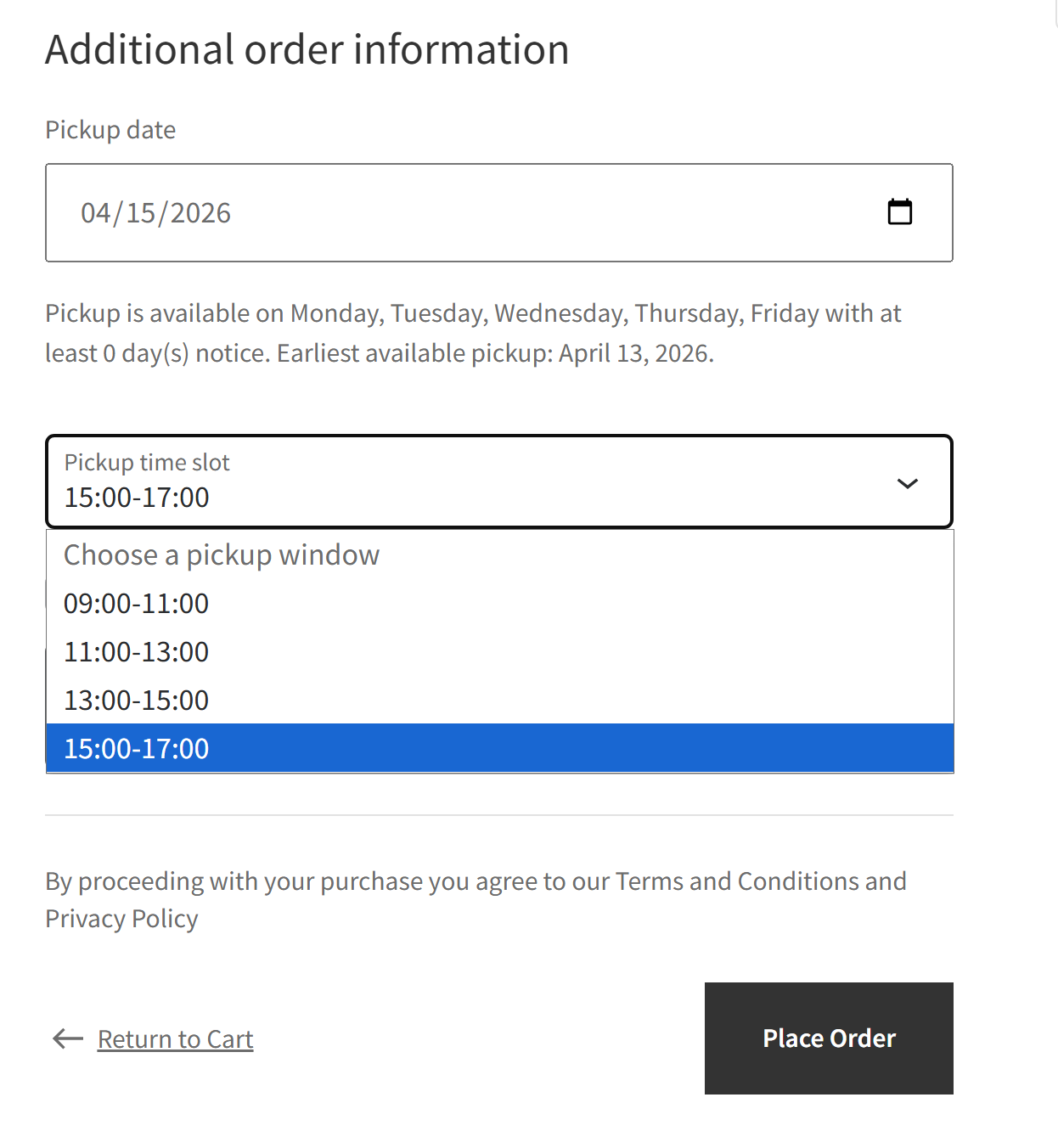
The pickup choice stays inside checkout instead of being pushed into notes or post-purchase follow-up.
 Click to open
Checkout Block
Customers choose a pickup date and open the time-slot list without leaving the WooCommerce Checkout Block flow.
 Click to open
Selected slot
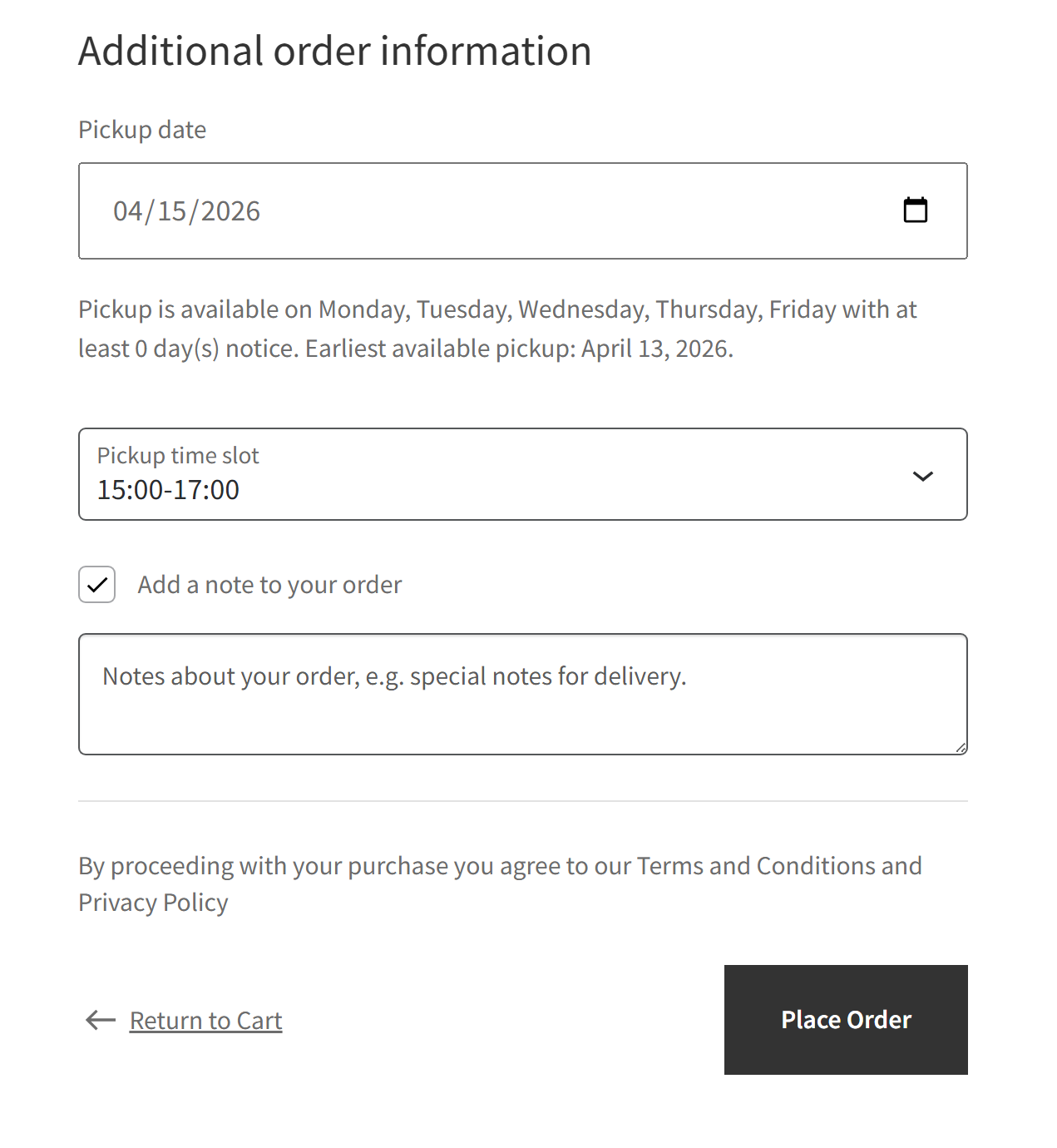
After a slot is selected, notes, policies, and the place order button stay in view as part of normal WooCommerce checkout.
Why store owners care
Flow
01
Configure available pickup days, time slots, lead time, and blocked dates in WooCommerce.
02
During checkout, the customer chooses an available pickup date and time slot that fits those store rules.
03
Pickup details stay attached to the WooCommerce order and appear in admin, emails, and the thank-you page.
Operational proof
 Click to open
Store setup
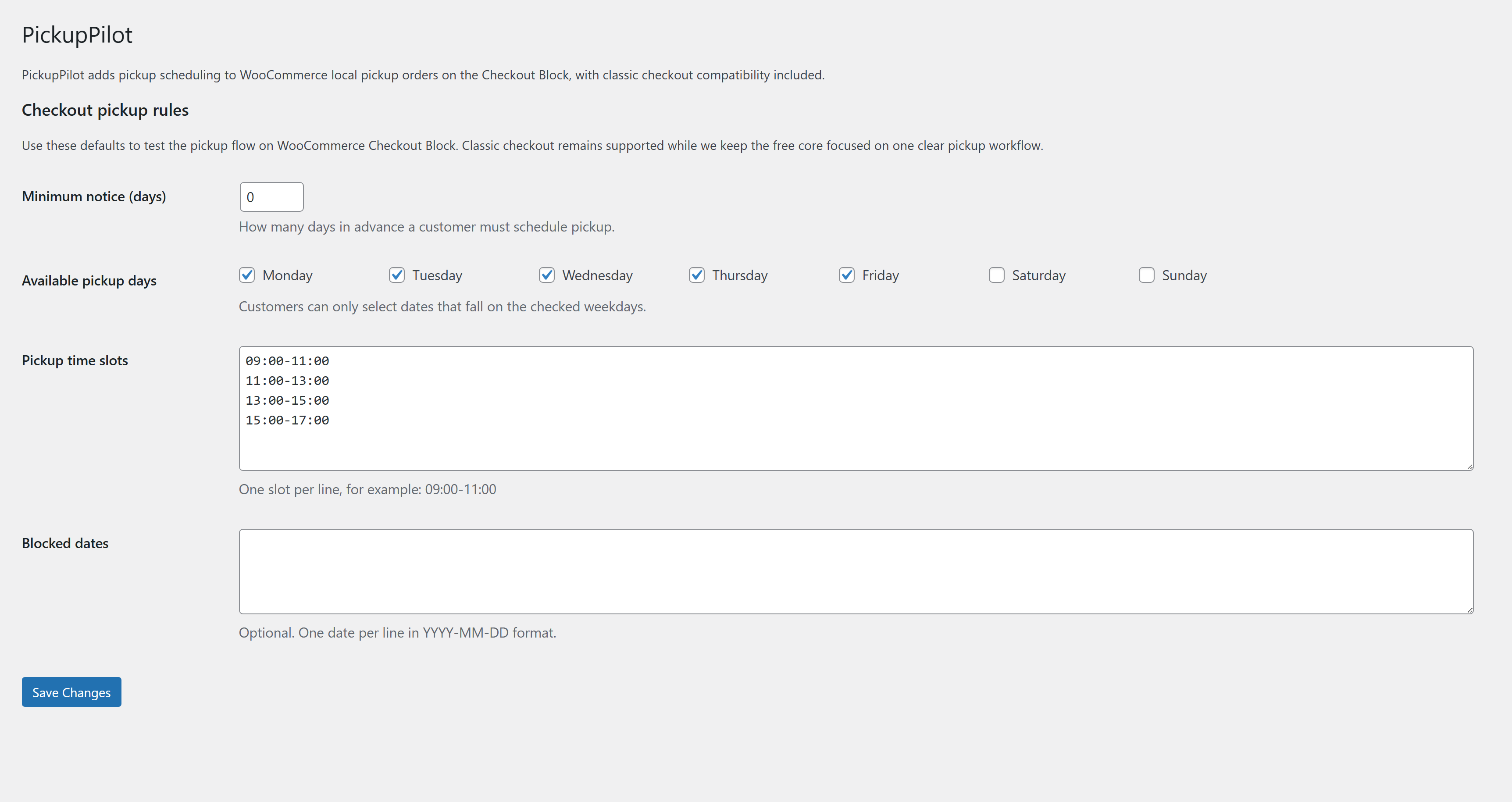
Available days, time slots, lead time, and blocked dates stay in WooCommerce so pickup availability is controlled before checkout begins.
 Click to open
Order record
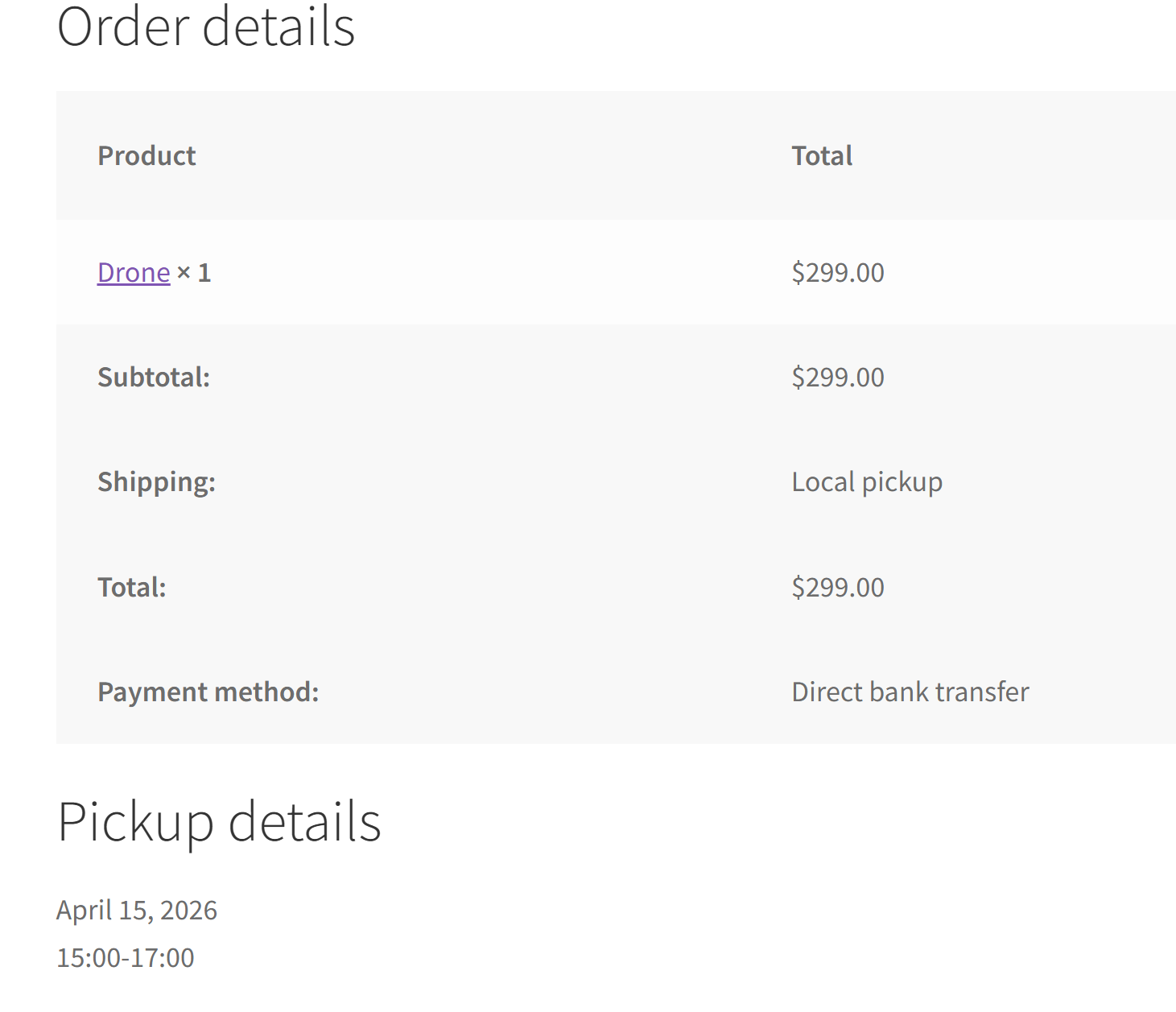
The chosen pickup date and time slot are saved with the WooCommerce order for admins, emails, and the thank-you page.
Store fit
PickupPilot enables its Checkout Block integration on WooCommerce 9.9+. Classic checkout remains supported as compatibility.
Support
The Help page is the direct path for PickupPilot setup questions, troubleshooting, and product feedback.
Open Help